

Paying 150 contractors across 20 countries looks, on paper, like a bank transfer problem. It isn't. The wire itself takes seconds. What actually consumes a Finance team's week is everything around the wire: verifying a contractor's KYC (know your customer) status, chasing down an invoice that's missing a tax ID, routing an approval through two managers over email, deciding which account funds the run, locking an FX (foreign exchange) rate before it moves against you, and then checking, payment by payment, whether the money actually landed.
Run that by hand every cycle across a growing contractor base and it doesn't get easier with practice. It gets more fragile. This tutorial walks through the setup that turns that recurring scramble into a repeatable operating process: organizing contractors into payment groups, funding and locking FX ahead of approvals, routing approvals on a fixed chain, and tracking status to close the loop. Each step builds on the last, so by the end you'll have a cycle that runs the same way every time, regardless of how many countries or currencies it touches.
What you need before you touch a single payment run
Before configuring anything, Finance needs four things in place: verified contractor records, complete banking details, a funding source, and a written approval policy. Skipping any one of these doesn't just slow the first run. It guarantees the same manual fire drill resurfaces every cycle after.
Start with contractor data. Every contractor needs a completed KYC record, legal name, tax ID, country of residence, and verified bank details before they're eligible for a payment group. Incomplete records are the single biggest cause of stalled runs, so it's worth auditing this list before you build anything else rather than discovering gaps mid-cycle.
Next, confirm your funding source: the account or accounts that will capitalize the payment runs, including whether you're funding in a single base currency or pre-funding in local currencies. Then write down your approval policy: who signs off on a run, at what dollar threshold, and what happens when someone's out. This sounds like process overhead, but it's the difference between an auditable payment trail and a pile of email chains nobody can reconstruct six months later.
A platform built for this kind of operation, like Papaya, typically handles workforce coverage across 180+ supported countries. That breadth matters less for the payment rails themselves (the local networks that move the money) and more for whether your KYC and onboarding workflow can actually scale with you as you add countries.

Step 1: Organize contractors into payment groups by country and cycle
With prerequisites in place, the first concrete action is structuring who gets paid together. Grouping by country, currency, and payment cadence is what turns reconciliation from a per-contractor chore into a per-group check. If every contractor is paid individually on an ad hoc schedule, Finance ends up reconciling 150 separate transactions instead of a handful of batches, and the reconciliation drag compounds every month as headcount grows.
The fix is to build payment groups around three variables:
- Currency, group contractors paid in the same payout currency to reduce FX conversions per cycle.
- Country, group by country where banking rails or local payment rules differ (SEPA, the Single Euro Payments Area, versus SWIFT, the global bank messaging network, for instance).
- Cycle, group by pay frequency (weekly, bi-weekly, monthly) so one run clears one group completely.
Once groups exist, assign each contractor to exactly one group based on their contract terms, not their department or project. Payment logistics should drive the grouping, not org structure. This single change is usually what makes the rest of the setup possible, because every downstream step, funding, approval, status tracking, operates on groups, not individuals.
Step 2: Fund payment runs and lock in FX before approvals
Once groups exist, the next decision is how money moves into them. Funding and FX need to happen before approval sign-off for one reason: cost control. If you lock the exchange rate only after approval, you're exposed to rate movement during the approval window, which can run hours or days depending on your policy. Locking FX earlier in the sequence means the number an approver sees is the number that actually gets paid.
Practically, this means funding the payment run, either by transferring into a pooled account or confirming available balance against a credit facility, and converting into the target currencies for each group at that point, not later. Some operations teams prefer real-time rate locks tied to execution; others prefer locking at the start of the business day to simplify reconciliation. Either way, the rate needs to be fixed before the approval chain starts, not somewhere in the middle of it.
This is also the point to flag intermediary bank deductions. SWIFT payments routed through correspondent banks can pick up fees in transit, and these are a common source of underpayment complaints from contractors. Build that into your funding buffer rather than discovering it after the fact.
Step 3: Route approvals and trigger mass payment execution
With funds and FX settled, approvals are the last gate before money leaves. A defined approval chain exists specifically to replace the back-and-forth that happens when sign-off lives in someone's inbox instead of a system. Without a fixed chain, every cycle turns into the same question asked fresh each time: who approves this, and did they see it yet?
Set the chain once: define who approves at what threshold, what happens when a group total exceeds a limit, and who the backup approver is. Then trigger the run as a single mass payment execution against the approved groups, rather than issuing payments one by one.
The practical test of whether this step is working is simple: can someone outside Finance trace, after the fact, who approved a specific run and when, without asking around? If the answer is no, the approval chain isn't actually configured. It's still informal, just routed through a different tool.
Step 4: Track payment status and close the reconciliation loop
Once a run is triggered, the open question becomes whether it actually completed. Real-time status visibility is what replaces the manual habit of emailing contractors to ask if the money arrived. Status tracking per payment, not per batch, is what lets Finance close the loop without guessing.
Each payment in a run should move through clear states: funded, in transit, delivered, or failed. Reconcile each delivered payment against its originating invoice and payment group, so the audit trail runs end-to-end from invoice to bank confirmation.
This is also where a corporate payment setup earns its keep over spreadsheets. A failed payment should surface immediately with a reason code, not three weeks later when a contractor emails asking where their money is. If your current process can't answer "did this specific contractor get paid, and when" without manually checking a bank portal, this step isn't built yet, no matter how automated the earlier steps are.
Streamline your cross-border payments. Calculate your business savings today.
What to check when a payment stalls, fails, or looks wrong
Even a well-built process hits edge cases. The fastest way to diagnose a stalled or failed payment is to check, in order: KYC status, bank details, intermediary deductions, FX rate mismatch, and rail-specific delays. Most failures trace back to one of these five causes, and checking them in sequence saves time over guessing.
Work through the list in this order:
- Failed or incomplete KYC, a contractor whose documentation lapsed or was never fully verified will block the payment before it even reaches the bank. Check the KYC status first; it's the most common cause and the easiest to confirm.
- Incorrect bank details, a mistyped IBAN (International Bank Account Number) or outdated account number causes a bounce-back that can take days to surface, depending on the rail.
- Intermediary bank fee deductions, on SWIFT payments especially, intermediary banks can deduct fees in transit, so the amount that lands may be lower than the amount sent. This isn't a failure; it's a rail characteristic worth explaining to contractors upfront.
- FX rate mismatch, if the rate locked at funding doesn't match the rate applied at execution, check whether the lock actually held through approval, or whether a delay pushed the payment past the lock window.
- Rail-specific delays, SEPA payments within the EU typically settle faster than SWIFT payments crossing correspondent banks outside it, so a payment that looks "stuck" may just be on a slower rail.
If you're unsure which rail applies, a SEPA payment guide is worth reviewing before assuming something's broken.
To confirm a step actually worked rather than silently failed, don't rely on the absence of an error message. Check for a positive confirmation state at each stage: KYC verified, funds allocated, approval logged, payment delivered. A process that only tells you when something goes wrong, and stays silent otherwise, will eventually let a failure sit unnoticed for a full cycle.
What a controlled payment cycle looks like once this is running
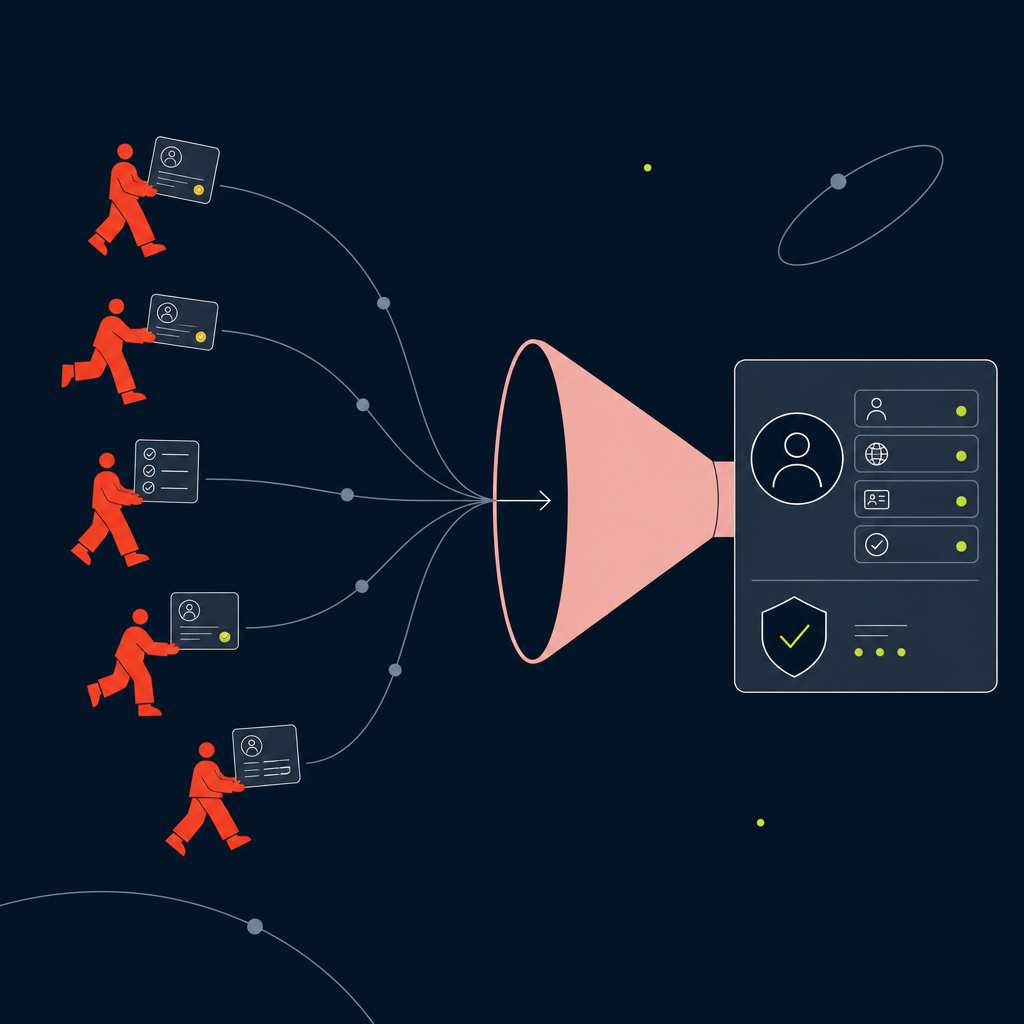
Done looks like this: payment groups that don't need rebuilding every cycle, FX locked before approval instead of after, an approval chain that runs without a Slack thread, and status visibility that answers "did it land" without anyone picking up the phone. That's the entire point of the setup: not faster wires, but fewer manual handoffs per cycle.
The natural next step is consolidating this on one platform rather than stitching together a banking portal, a spreadsheet, and an email chain for approvals. Papaya Global's payments platform is built around this exact sequence, payment groups, funding, FX, approval routing, and status tracking, as one connected process rather than five disconnected tools.
For a broader view of how this fits into contractor operations overall, a contractor payment platform guide covers the adjacent workflow pieces this tutorial didn't: onboarding, invoicing templates, and worker support.
Streamline your cross-border payments. Calculate your business savings today.
Frequently asked questions
How should Finance evaluate mass payment capabilities before picking a tool?
Look at whether the tool supports grouping contractors by currency, country, and cycle as a native feature, not a workaround. Also check whether mass execution logs each individual payment's status separately, since a batch-level "sent" confirmation isn't enough to catch a single failed payment inside a larger run.
How can I automate recurring contractor payments instead of running them manually each cycle?
Set up payment groups tied to a fixed cadence, attach a standing approval chain to each group, and configure the funding and FX lock to trigger automatically ahead of the scheduled run date. Once that's configured, the only manual action left each cycle is reviewing the approval, not rebuilding the payment from scratch.
What should I look for in a corporate payment solution for a distributed contractor workforce?
Prioritize coverage breadth, funding flexibility, and status transparency over rate alone. A platform like Papaya supporting workforce coverage across 180+ supported countries matters because it signals the onboarding and compliance workflow can scale alongside your contractor base, not just that it can process a transfer.
How can my business reduce cross-border payment complexity without adding headcount?
Consolidate the manual steps, KYC checks, invoice matching, approval routing, status checks, onto one system rather than splitting them across a bank portal, a spreadsheet, and email. The complexity isn't the number of countries; it's the number of disconnected tools Finance has to check to confirm one payment went through.
How can I control FX costs on international contractor payments?
Lock the exchange rate at the funding stage, before the approval chain starts, so the rate an approver signs off on is the rate actually applied. Also account for intermediary bank deductions on SWIFT payments separately from FX movement, since conflating the two makes it harder to tell what's actually driving a cost variance.
When does my business actually need a multi-currency payment gateway versus a regular bank account?
Once you're running payment groups in more than two or three currencies on a recurring cycle, a regular bank account starts to create manual conversion and reconciliation work that a multi-currency setup handles natively. If you're still paying a handful of contractors in one or two currencies, a standard account with manual FX conversion may still be workable.
The next step is cross-border payment operations in your own setup
Bring your countries, worker mix and payment cycles to a Papaya specialist and get a straight answer on what changes.